TRY IT LIVE ↗CONTACT
CONNECTED COMMUNICATION PLATFORM

Communication.
Control. Clarity.

Push-to-talk, live radio monitoring and intelligent transcription — connected in one simple workspace.

!
PUBLIC DEMO — NOT A PRIVATE CHANNEL

This is an open-source demonstration line. Anyone connected to this public channel may hear your transmission. Do not share personal, confidential, sensitive or operational information.

✓ Browser-based PTT✓ Live radio streams✓ Timestamped transcripts
◉ SANKET NETWORK OPERATIONS COCKPIT / LIVE SYSTEM OVERVIEW LIVE PTT DEMO · GAUGES ILLUSTRATIVE
RADIO LINES08 / 08Configured channels
CONNECTED NODES24PTT clients · edge stations
INCOMING STREAMS06Audio / text / telemetry
OUTGOING STREAMS04Relay / broadcast / audio
ACTIVE TRANSMITTERS03Floor control monitored
ALERTS02Operator attention

SANKET COMMAND CENTER

LIVE SYSTEM OVERVIEW · PTT NETWORK · TRANSCRIPTION · DISPATCH

LIVE RADIO · INDIA + WORLD

RADIO

Five quick picks. Choose another station from the live directory.

Checking stations…
Select a stationLive radio directory
TOP PICKS + VERIFIED DIRECTORYDirectory status pending
RELAYCONNECTING
ONLINE STATIONS0 CONNECTED
PTT TRANSMITIDLE
INCOMING AUDIOWAITING
TRANSCRIPTIONWAITING
PUSH TO TALK JOIN · HOLD TO TRANSMIT
🎙 TRY TALK
Speak on the shared channelAllow microphone access, then hold the PTT button to talk. Keep speaker volume on.
LIVE TRANSCRIPTION ● WORDS APPEAR HERE
TRY LIVE · READ LIVE TRANSCRIPTIONS HERESpeak in the PTT panel. Your received words will appear below with the speaker and timestamp.

Waiting for a real PTT transmission and its transcription…

SANKET LISTENER · LIVE TRANSCRIPTION
RECEIVED AUDIO 0

No audio recordings received yet.

CONNECTED USERS CONNECTING… · 0 ONLINE
ONLINE NOW

Connecting to shared PTT presence…

SESSION ACTIVITY

Waiting for user activity…

OUTGOING MESSAGES ● TX
TXNo outgoing dispatch messages received yet.
ALERTS & NOTICES ● SYSTEM
INFONo live priority alerts or notices received.
Live dispatch preview: the embedded listener joins the shared public demo channel and displays actual received PTT audio transcriptions. Tower illustration is visual only. The public demo is not for sensitive or operational traffic.
How Sanket connects field teams to operatorsField radios and mobile clients send voice through a network to Sanket services, which deliver channel audio, transcripts and activity to a control-room dashboard. SANKET · COMMUNICATION FLOW 01 · FIELD 02 · SANKET SERVICES 03 · CONTROL ROOM Radios + mobilePTT · headsets · browserCellular / Wi-Fi / site link Channels + audioRouting · presence · eventsOptional transcription + Edge Operator dashboardLive activity · logs · alertsReview · playback · transcripts One coordinated communication workspaceConnectivity and supported devices depend on each deployment.
Illustrative workflow — shows how supported field clients, Sanket services and operators fit together.
Built for distributed teams

From the field to the control room.

Teams may work with rugged handhelds, speaker-mics, hands-free headsets, smartphones, tablets or satellite communication equipment. Sanket is the software layer that brings supported PTT users, channels, recordings and operator dashboards into one coordinated workspace.

Connectivity depends on the device and network available at each location. Satellite links may provide a site's backhaul where supported; Sanket itself is not a satellite-phone service.

Field teamsTalk from supported mobile and browser clients
Dispatch operatorsManage channels and activity from a dashboard
Remote locationsUse available cellular, Wi-Fi or site connectivity
One software platformPTT, transcription, monitoring and announcements
FIELD DEVICESPTT · Headsets · MobileSANKET NETWORKChannels · Audio · EventsCONTROL ROOMDashboard · Logs · Alerts
The Sanket suite

One platform. Purpose-built products.

Independent tools for communication, monitoring and intelligence — designed to work together where your deployment requires it.

01 / COMMUNICATE

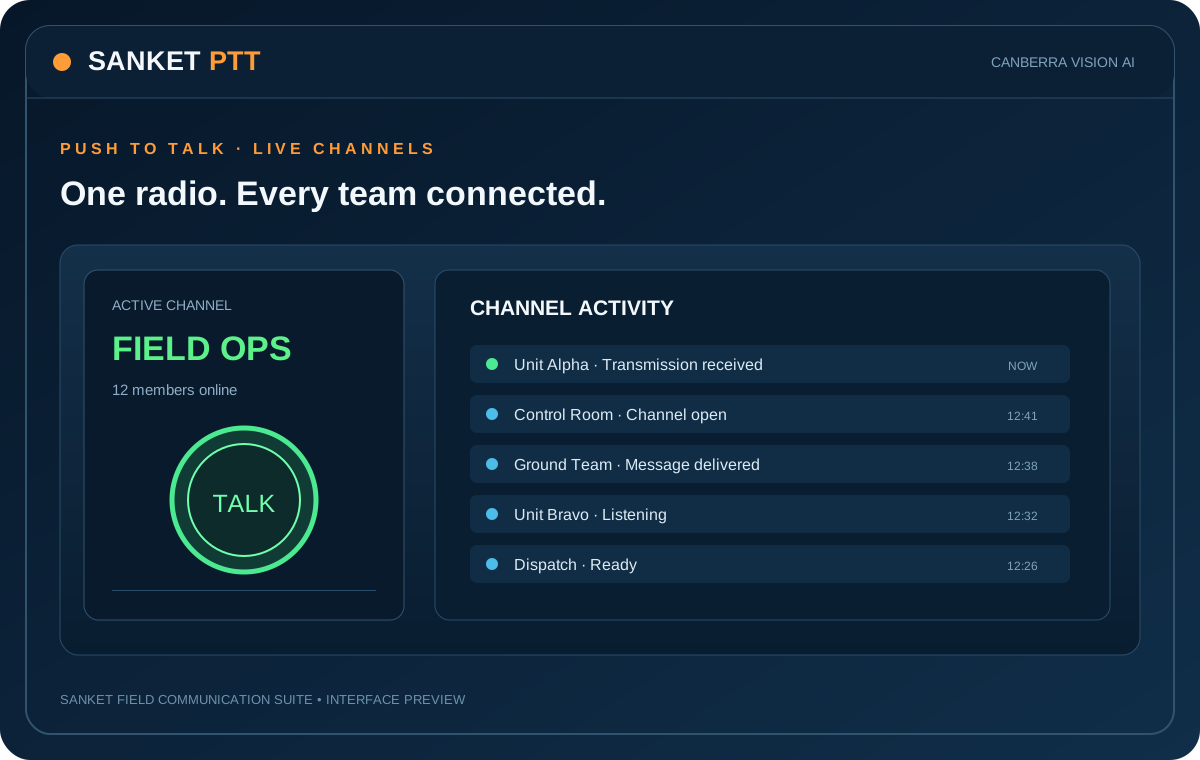
Sanket Software PTT

Browser and Android push-to-talk radio with named channels, floor control, presence and message history.

Open PTT ↗
02 / OPERATE

Sanket Control Room

Operator console to monitor lines, view activity and users, review communication logs, play clips and export records.

View dashboard ↑
03 / DISTRIBUTE

Sanket आकाशवाणी

Public announcements and multi-zone audio distribution for public places, gatherings, campuses, venues and events. Route PTT lines, live microphone or spoken announcements to independent speaker zones.

See embedded product demo below ↓ · Open full screen ↗
04 / UNDERSTAND

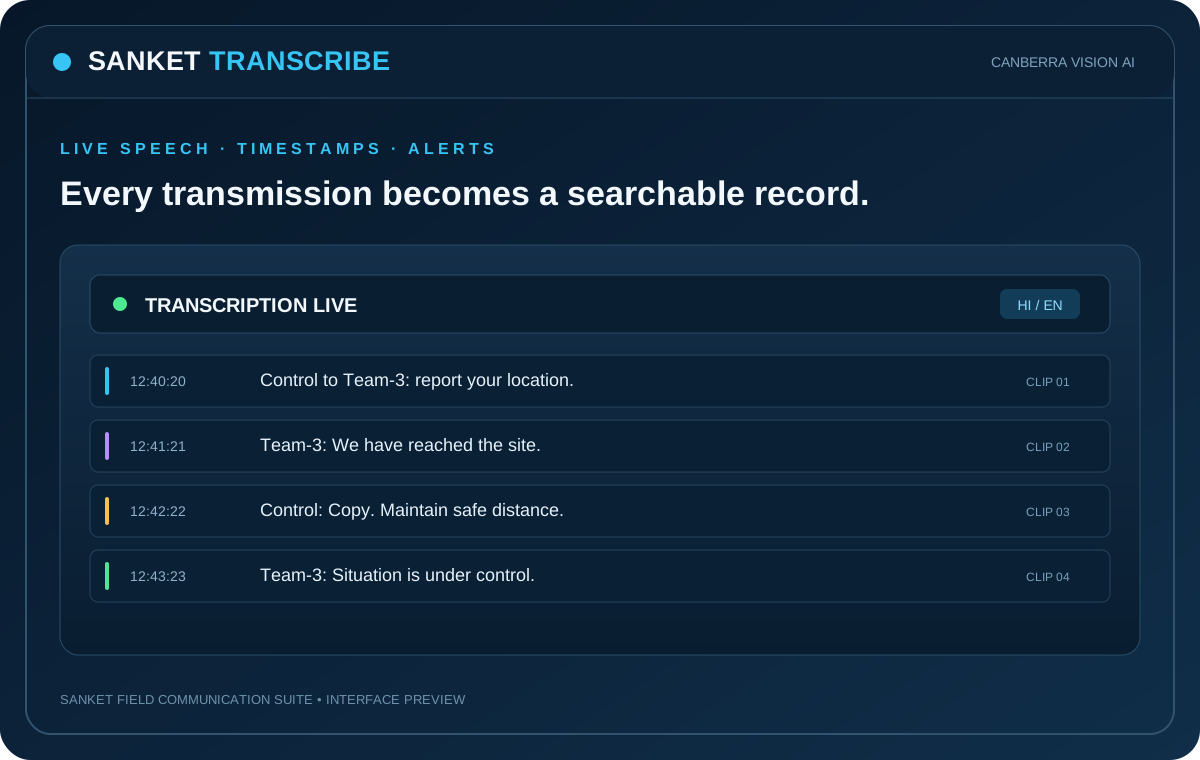
Sanket Recording-to-Text

Sanket Transcribe converts channel or microphone audio into clips with text, translation and keyword watch alerts. Preserve source names and timestamps with each record.

Open Transcribe ↗
05 / MONITOR SPECTRUM

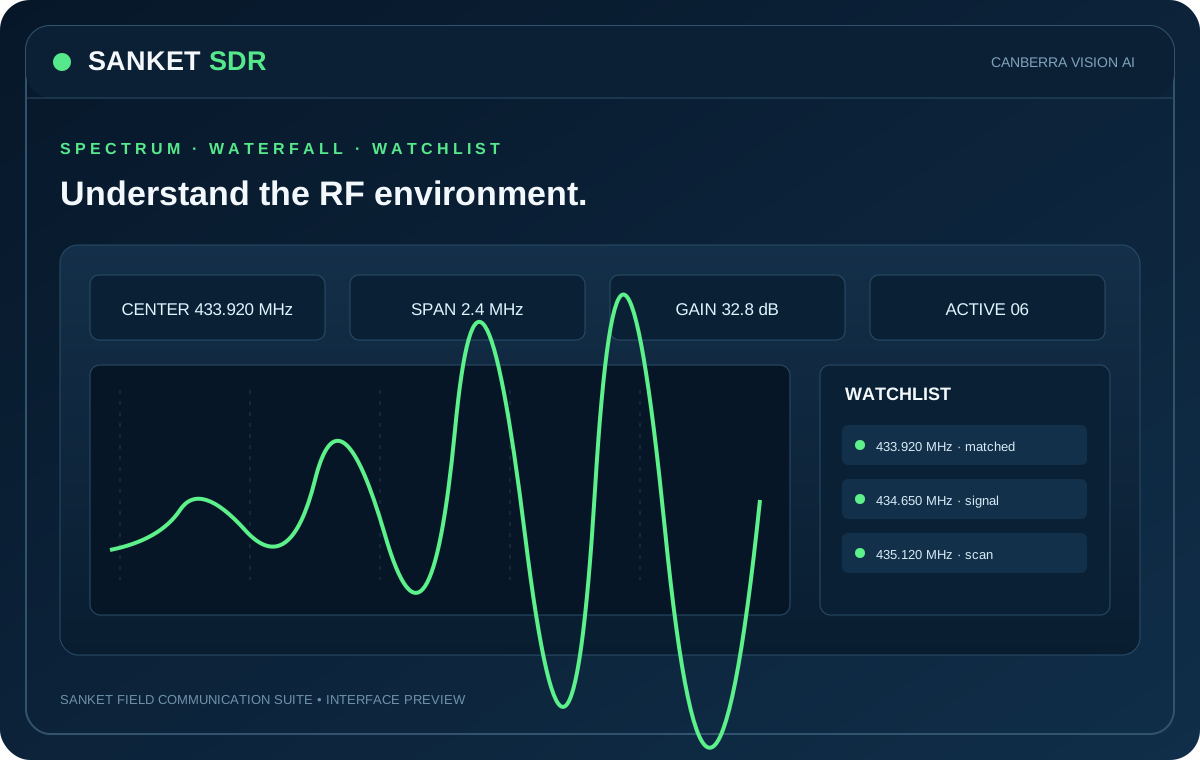
Sanket SDR

Software-defined radio spectrum and frequency monitoring with waterfall, watchlists, signal analytics and IQ/audio capture.

Explore SDR ↓
06 / EDGE COMPUTE

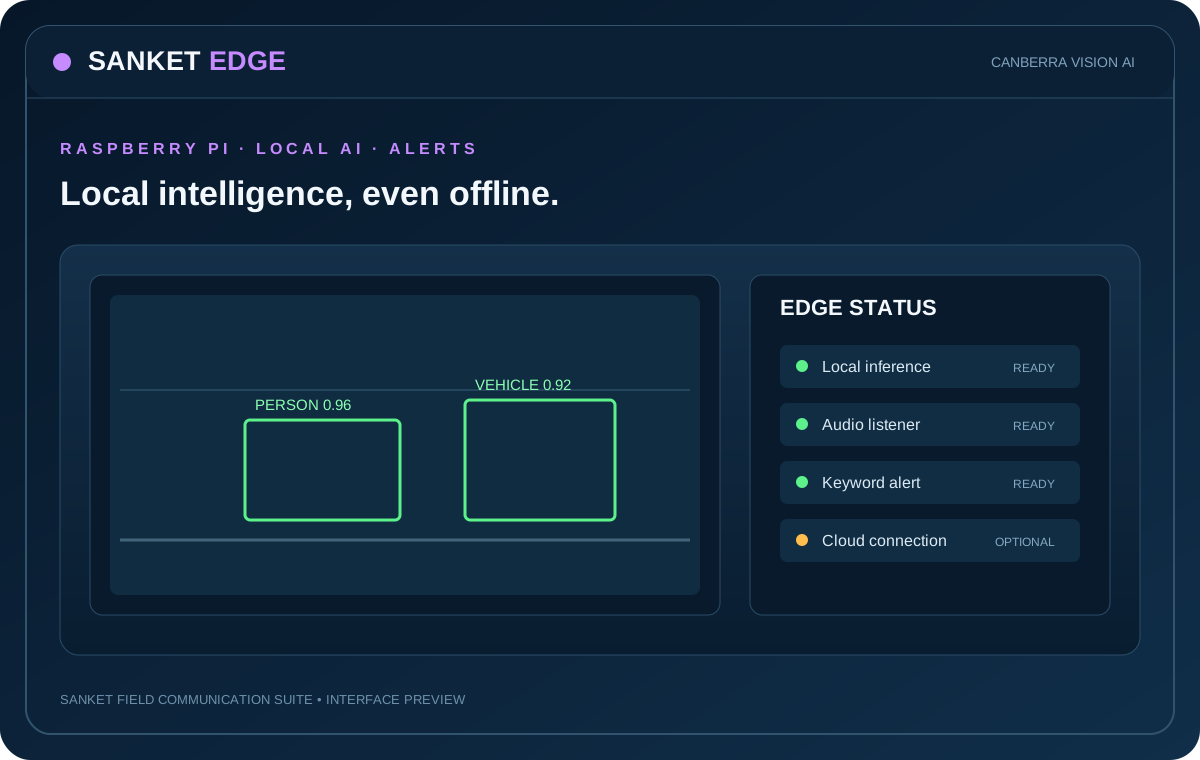
Sanket Edge

Always-on Raspberry Pi listener for channel audio, local transcription, spoken announcements and configurable alerts.

Explore Edge ↓
The product is the software

Explore the actual product interfaces.

Switch between dashboard previews for PTT, Control Room, Transcribe, आकाशवाणी, Edge and SDR. These software screens are the primary product showcase; preview telemetry is illustrative sample data, not a live connection.

SANKET PTT / CHANNEL CONSOLESAMPLE DATA

CHANNELS

MasterACTIVE
City-Control12 members
Unit-Alpha08 members
Ground06 members

NOW TRANSMITTING

PATROL-12
MASTER CHANNEL · 00:08
Audio level · illustrative

SESSION ACTIVITY

26 online members
Messages today126
Last transmission16:08:21
SANKET CONTROL ROOM / MULTI-LINE OPERATIONSSAMPLE DATA

LINE STATUS

MasterTALKING
City-ControlReceiving
Kolkata-ControlIdle
Unit-AlphaIdle

LIVE ACTIVITY

03 active talkers
Transmissions126
Transcripts94
Keyword flags02

OPERATOR QUEUE

Review clip16:09:02
Export logReady
Connected nodes04
SANKET BROADCAST / ANNOUNCEMENT CONSOLESAMPLE DATA

ANNOUNCEMENT

Priority message
Operator audio / recorded message · sample

DESTINATION LINES

MasterSELECTED
City-ControlSELECTED
Unit-AlphaNot selected

OUTPUT ROUTING

Output AConfigured*
Output BConfigured*
DeliveryIllustrative
SANKET RECORDING-TO-TEXT / CLIP REVIEWSAMPLE DATA

RECORDING SOURCE

ChannelMaster
Source filemaster_160821.wav
Timestamp16:08:21
Duration00:08

TRANSCRIPT

“Control, Patrol-12. Reached point Alpha. Traffic congestion near crossing. Over.”

English · Translation available

CLIP ACTIONS

Keyword watch2 matches
FilenamePreserved
ExportTXT / ZIP
SANKET EDGE / RASPBERRY PI LISTENERSAMPLE DATA

EDGE NODE

Pi 5
Receive-only listener · local dashboard
ServiceRUNNING*
Boot startEnabled*

INPUT SOURCES

PTT relayConfigured*
USB audioAvailable*
MicrophoneOptional

LOCAL ALERTS

KeywordMAYDAY
ActionBeep + speech
TranscriptionLocal Whisper*
The real Edge dashboard is served on the Raspberry Pi's local network address.
SANKET SDR / RF MONITORSAMPLE DATA

RECEIVER

RTL-SDR V3
Raspberry Pi 5 · local receiver
Web dashboardPort 8080
Central mapPort 8081

SPECTRUM PREVIEW

Mock graph · connect to Pi for live spectrum

MONITORING

Watchlist hits06
Recorded clips14
AnalyticsOn Pi
http://<pi-ip>:8080
Sanket SDR is a LAN-hosted Pi dashboard, not a public URL. Use the Pi's local IP address on the same network.
SANKET आकाशवाणी / PUBLIC ANNOUNCEMENT CONTROL ROOMINTERACTIVE UI PREVIEWOpen full screen ↗
Embedded interactive control-room prototype. Live speaker routing and hardware control require the Raspberry Pi audio backend.
SANKET CENTRAL CLOUD / FLEET OVERVIEWCONCEPT PREVIEW

DEPLOYED SITES

04 nodes
Site NorthSYNCED*
Site WestSYNCED*
Site SouthPending*

DATA & RECORDINGS

2.4 GB
Illustrative storage total
Last backupToday 02:00*

RECOVERY

USB backupSupported
Restore verificationOperator step
Cloud syncConfigurable
Concept dashboard; central fleet services must be configured for each deployment.
Shared infrastructure layer

Sanket Central Cloud

Central storage, backup, sync, migration and recovery across supported deployments. Cloudflare R2 is a planned object-storage option.

Cloud & migration ↓
Field communication

Sanket PTT puts the radio in every browser.

Join named talk-groups from phones, tablets and PCs. Hold to talk, listen to channel traffic and review session history.
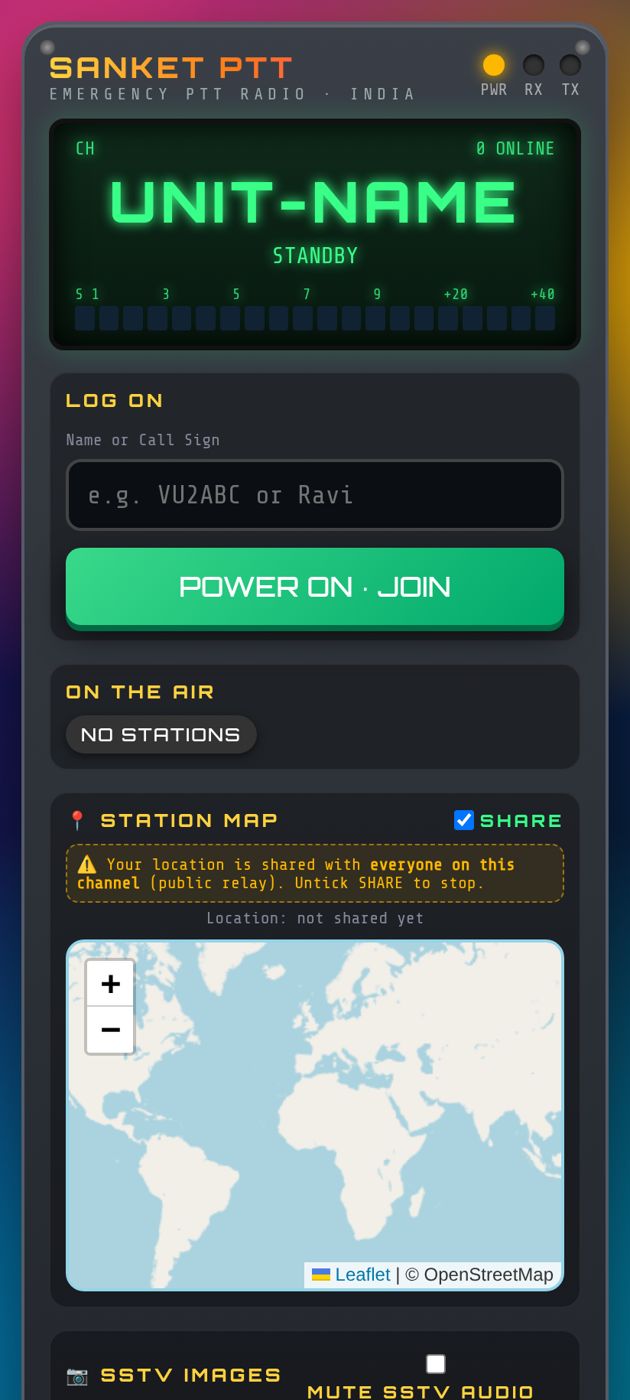
  • Named channels and shareable channel links
  • Push-to-talk floor control and presence
  • Message history with audio playback
  • Android application and browser access
  • SSTV picture transmission in the documented client
Launch Sanket PTT ↗
Sanket PTT mobile interface from the user guide
Sanket PTT — actual screen from the product user guide
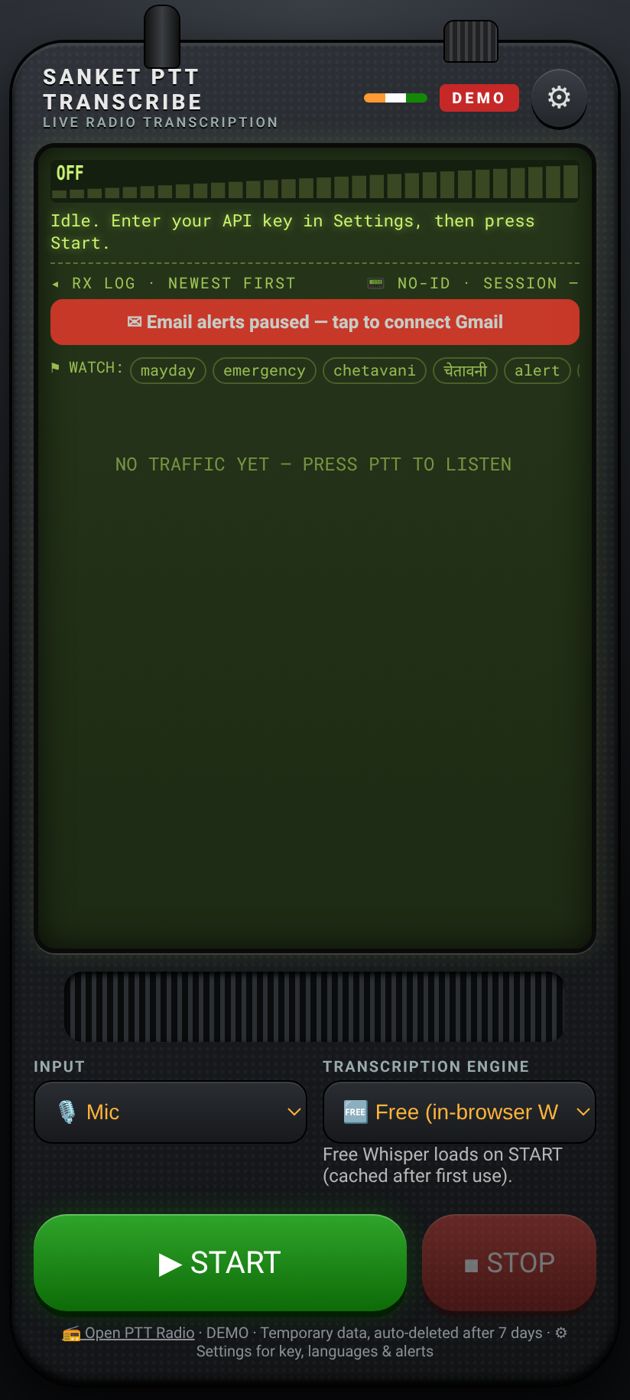
Sanket Transcribe application screen from the user guide
Sanket Transcribe — documented transcription interface
From voice to searchable record

Every transmission becomes a timestamped clip.

Listen to a PTT channel or local microphone. Review each clip, its transcript and translation, then export records for follow-up.

  • Clip segmentation at PTT release or silence boundaries
  • Source channel and call-sign context
  • Timestamped transcript and translation
  • Keyword watch list and review alerts
  • Per-clip download and batch ZIP export
  • Keep original source filenames and timestamps in the record workflow
Open Transcribe ↗
Raspberry Pi listener station

Sanket Edge brings the control room closer to the radio.

Receive channel audio, transcribe locally with Whisper, announce selected alerts and operate a local dashboard on a Raspberry Pi installation.

01Receive audio

Listen to selected PTT channels through a connected audio device.

02Transcribe locally

Use on-device Whisper processing to turn received speech into text.

03Trigger alerts

Watch configured keywords and announce selected alerts through the speaker.

04Operate locally

Manage the listener from the Raspberry Pi's local dashboard.

Software-defined radio · RF intelligence

Sanket SDR — a spectrum-monitoring cockpit.

See the radio environment, identify signal activity, compare signal strength and bandwidth, and review watchlist or anomalous activity. Connect a supported SDR receiver for real RF measurements; this animated cockpit is clearly marked as a simulation.

◉ SANKET SDR / RF SPECTRUM ANALYSER
RECEIVER: RTL-SDR · RX ONLY · CHANNELISED SCAN VIEW
SIMULATION MODE · NO RECEIVER CONNECTED
433.920 MHz
2.400 MHz
2.4 MS/s
32.8 dB
WFM / NFM
WATERFALL
PEAK RSSI−41.2 dBm*Strongest detected peak
NOISE FLOOR−108.4 dBm*Estimated receiver baseline
ACTIVE SIGNALS06Visible in current span
CHANNEL OCCUPANCY18.6%Illustrative time-window estimate
LIVE SPECTRUM · POWER vs FREQUENCYFFT · dBFS · AUTO REFRESH
432.720 MHz433.320 MHz433.920 MHz434.520 MHz435.120 MHz
Spectrum trace Detected carrier Watchlist frequency
DETECTION COCKPITDEMO EVENTS
POTENTIAL ANOMALOUS ACTIVITYREVIEW
Unclassified narrowband carrier

Signal energy observed near 434.120 MHz. Compare against authorized frequency plans and local regulations before drawing conclusions.

RSSI −57.0 dBm*BW 12.5 kHz*SNR 18.4 dB*
Watchlist matches03
Unclassified peaks02
Capture buffer00:30
Receiver statusSIMULATED

RF activity alone cannot establish that a transmission is illegal. Sanket flags signals for operator review; authorization depends on frequency allocation, location, service and applicable law.

WATERFALL HISTORY · FREQUENCY vs TIME SCROLLING LIVE DEMO
432.720 MHz433.320 MHz433.920 MHz434.520 MHz435.120 MHz
RECENT SIGNAL OBSERVATIONSILLUSTRATIVE DATA · NOT LIVE RF
TIMECENTER FREQ.BWRSSISNRCLASSIFICATIONSTATUS
16:08:21433.920 MHz25 kHz−41 dBm32 dBWatchlist matchKNOWN
16:07:53434.120 MHz12.5 kHz−57 dBm18 dBUnclassified carrierREVIEW
16:06:11433.500 MHz50 kHz−48 dBm24 dBWideband activityOBSERVED

A receiver only observes the bandwidth and frequencies it is tuned to. A single RTL-SDR has limited instantaneous bandwidth; wider coverage may require retuning, scheduled scanning or multiple receivers. Signal detection does not decode encrypted/private communications and does not determine legal status. Operate and monitor only within applicable law and authorized frequency allocations.

Practical starting points

Six practical ways to use Sanket.

Use cases based on the current PTT, transcription, Edge and SDR capabilities — start small, then add control-room and audio-routing hardware as needed.

01 · TEAM RADIO

Small teams & field coordination

Give field staff, supervisors and dispatchers a shared push-to-talk talk group from phones, tablets or PCs. Useful for maintenance, service crews, facility teams and on-site coordination.

02 · EVENTS & VENUES

Event operations & venue teams

Coordinate gate staff, stage managers, parking, housekeeping and security operations with named channels, call signs, presence and session playback.

03 · WAREHOUSE & CAMPUS

Warehouse, campus & plant operations

Connect stores, loading bays, maintenance and reception. Add a Sanket Edge Raspberry Pi listener to keep a local audio and transcript display running in a control point.

04 · RADIO DISPATCH

Control-room listening & voice logs

Monitor PTT traffic, replay recorded transmissions and create timestamped speech-to-text clips with keyword watch alerts. Useful for review, shift handover and searchable communication records.

05 · AMATEUR RADIO

Ham radio clubs & SSTV demonstrations

Run internet-connected club talk groups, practice net procedures and exchange SSTV images over the Sanket voice channel. Sanket PTT is an internet PTT app, not a replacement for a licensed amateur RF station.

06 · RECEIVER & PA

Receive-only RF monitoring & public address

Use Sanket Edge with a supported RTL-SDR to monitor permitted public or licensed-to-receive bands, or use Sanket आकाशवाणी to distribute operator announcements to connected USB audio outputs, amplifiers and speakers.

Search terms: push-to-talk software · PTT over IP · PoC radio · radio over IP · MQTT push-to-talk · internet two-way radio · radio dispatch console · multi-channel radio · voice logging · radio recording · live radio transcription · speech-to-text · SSTV · amateur radio · ham radio club · Raspberry Pi radio listener · RTL-SDR receiver · spectrum monitoring · VOX squelch · NFM · FM · WBFM · AM · PPM correction · frequency scan list · USB audio routing · public address system · PA speaker announcements · multi-zone public address · venue announcement system · campus PA system · emergency public announcement · multi-line audio monitoring.
Deployment continuity

Move a Sanket Edge station without rebuilding from scratch.

Documented migration concept for carrying configuration and selected data to replacement Raspberry Pi hardware.

1

Prepare the old Pi

Review channels, audio devices and current configuration.

2

Create backup

Export the selected configuration and backup package.

3

Transfer safely

Move the backup using the configured cloud, NAS or USB route.

4

Restore & verify

Install on new hardware, check audio devices and verify operation.

Simple plans for every team

Choose how you want to run Sanket.

Start with free browser-based PTT, move to your own plug-in server, or deploy advanced multi-line audio routing and public-address workflows.

STARTER · FREE

Sanket Free

₹0 / month
A simple way for a small team to get started.
  • 1 communication line
  • Up to 3 users
  • 30 minutes total transmission time per day
  • Daily usage allowance resets every day
  • Browser-based access
Start free ↗
Daily transmission allowance is shared by the line, not 30 minutes per user.
PUBLIC ADDRESS · MULTI-ZONE AUDIO

Sanket आकाशवाणी

Custom / deployment
For public places, gatherings, events, campuses and large venues.
  • Eight software PTT lines with flexible monitoring
  • Four independent USB audio outputs
  • Route any line to one or multiple speaker zones
  • Mix multiple inputs into a selected output
  • Line-to-line forwarding and relay rules
  • Operator-triggered and configurable emergency announcements
  • Connect USB outputs to amplifiers and public-address speakers
Open Control Room ↗
Deployment pricing depends on line count, USB audio hardware, amplifiers, speaker zones and site requirements.
Pricing clarification: Server Edition is listed at ₹450 per user, per line, per month, with up to 50 lines supported. Raspberry Pi 5 hardware and shipping are part of the supplied server package; their one-time charges need to be confirmed. Sanket आकाशवाणी is quote-based because routing and public-address hardware requirements vary.
Contact Canberra Vision AI

Let's talk about your communication workflow.

Request a product walkthrough or discuss a deployment for your team.

Demo form only: it prepares an email draft and does not send data to a server.

Canberra Vision AI

Sanket communications and monitoring products.

Email: akshatsingh@canberravision.com

Please confirm the preferred public business address and phone number before publishing them here.